The TFT Drivers Installer V2 Tool is a free program that allows you to easily install and update your TFT drivers. The program is simple to use and can be run on any Windows PC. The program will automatically detect your TFT drivers and will install the latest drivers for your TFT.
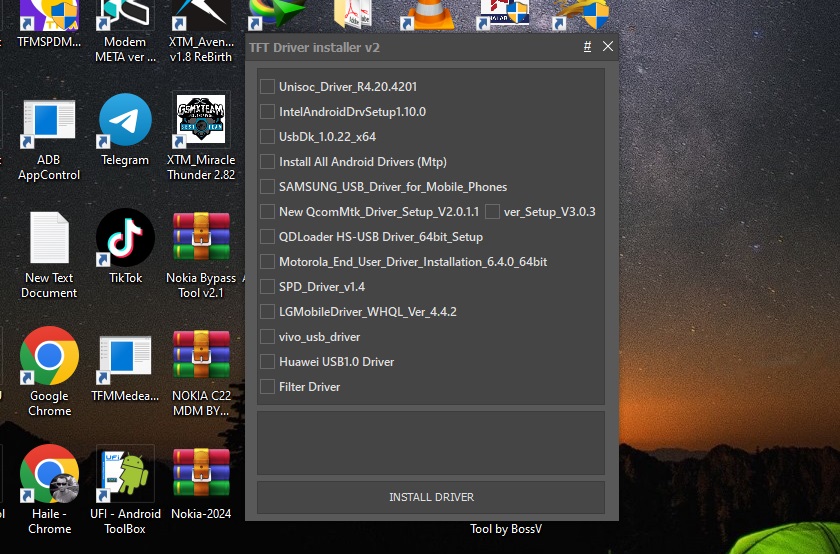
The program is constantly updated with the latest TFT drivers and is always available for download at the official website.
- Install All Android Drivers (MTP)
- Samsung USB Driver for Mobile Phones
- New QcomMTK Driver Setup V2.0.1.1
- QDLoader HS-USB Driver 64bit setup
- Android WinADBUSB
- SPD Driver 1.4
- Nokia Drivers Disk 1.4.0
- VIVO USB driver
- Huawei USB 1.0 Driver
- Filter Drive
How To Use?
- First, you need to download the zip file from the link
- Next, you can unzip all files at c: drive (important)
- Ensure you have disabled the antivirus before running the installation
- Next, open the folder and install the setup file with some basic instructions
- Run the “TFT Driver installer.exe.“
- Next, you can install all drivers if you have already installed, skip this step
- Connect the phone and try to use any function
- Enjoy !!!
TFT Driver Installer V2
DOWNLOAD
PASSWORD: TFT
Read also:
- TFT MTP Bypass Tool Latest Version Free Download
- Samsung Mobile Schematics | Various Models
- Honor JDY-LX1 ISP Pinout

Tech GURU