
Fidetec provides you with the OFFICIAL download links for the Factory-Signed Tecno R8S Firmware file to fix all software issues. Before flashing, make sure to back up your data, but if the device is dead, bricked, or hangs on the logo, you can skip this.
This File will fix;
- Hang on logo
- Touch not working after the update fix
- Dead or bricked after flashing fix
- Frp lock remove
- Upgrade and Downgrade
- Phone boots to Fastboot mode fix
- Demo mode fix
- Phone boots to recovery mode fix
- DM Verity fail fix
- Unroot or Fix Bugs on your Phone
- Bootloop fix
- Unfortunately, all apps have stopped fix
- White display after flashing
- And many more…
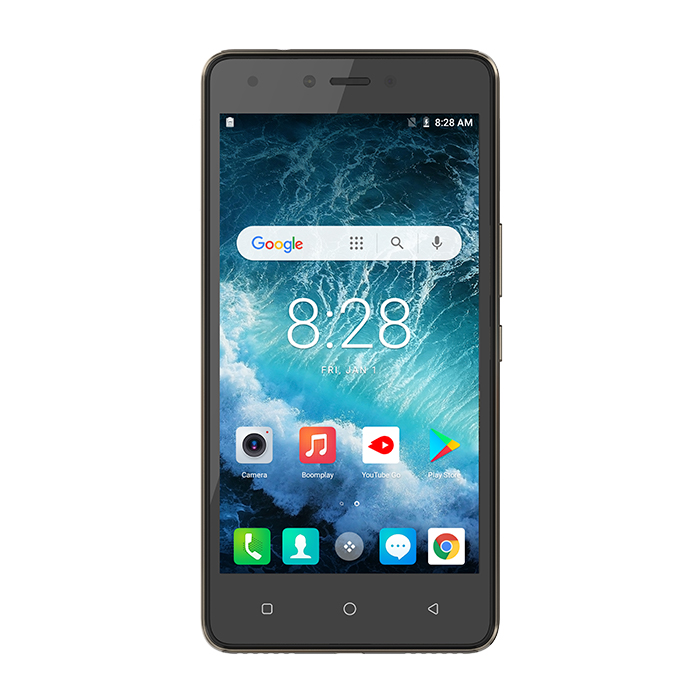
Tecno R8S Firmware Download
PASSWORD: /f3ECBaM
The firmware is in scatter file format (after extraction, you can flash it with the UnlockTool, Infinity CM2, Miracle Box, SP Flash Tool, NCK, UMT, Hydra, or any other box or tool that supports flashing scatter files.
NB: Before flashing, make sure that:
- The battery is charged at least 30% (although some flashing can be done without the battery)
- The phone is switched off
- You have installed MTK USB Drivers on your PC
- You have downloaded the firmware above and extracted it
- You have a PC and a compatible USB cable
Read also:
- Tecno KD7H Clone Firmware MT6570 Free Download
- Tecno R8S DA File Free Download | Tecno R8S Frp
- Factory Signed Tecno CD8J Firmware All Versions
- Factory Signed Tecno KC8 Firmware Download | Tecno Spark 4
- Factory Signed Tecno B1F Firmware | B1f-F8018GH-OGo
- Factory Signed Tecno LC7S Firmware | LC7S-H6116C-Q-ZAVC
| Processor | MT6737W, Quad Core 1.25GHz |
| Display | 5.0 ” HD (1280*720) IPS |
| Camera | Back camera 5MP/8MP AF with Dual Flash Light |
| Memory | RAM : 1 GBROM : 16 GB |
| Network | Sim Type: Single Sim |
| OS | Android |
| Battery | 2500 mAh battery |

Tech GURU


Password for rar?