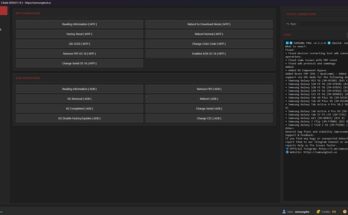
BFT Tool ( Best Flash Tool ) is a free Windows tool by the Miracle Team. This tool allows users to perform tasks like screen unlock, FRP Remove, Account Unlock, Bootloader Unlock, Demo Fix, MDM Remove, Mi Account Reset, Read/Write RPMB, Factory Reset, Write Flash/Write Select, and Write Flash IMEI Repair in Android phones.

Best Flash Tool Download
How to Use BFT Best Flash Tool
NB: TURN OFF WINDOWS DEFENDER AND ANTIVIRUS
- Download & extract the BFT Best Flash Tool to your Computer.
- Now, Run the Setup BFT_Best_Flash Tool.exe
- Wait for a few minutes to install the tool.
- Now run the tool as an administrator.
- The login credentials will be auto-filled; simply click Login to use the trial version.
Features
Flash
Add the scatter file to the flash firmware using BROM EXPLOIT
Various flashing options
Meta Functions
Read Info
Format (EMMC)
NVM Read
Reset Factory
Format (UFS)
NVM Write
Infinix/iTel/Tecno Functions
Enable ADB (META)
Disable ADB (META)
Reset FRP (ADB)
Lock Disable (ADB)
Enable (ADB)
Mobile phone firmware
Security Repair
Generic old and new methods for IMEI repair
Service Functions
Read Info
Format Userdata
Read also: Tera Tool v1.0.2.7 Free Download | with KeyGen & Loader
Safe Format
Reset FRP
Reset OPPO ID
DM-Verity Fix
Backup RPMB
Unlock Bootloader (BL)
Relock Bootloader (BL)
Unlock BL (Permanent)
Fix Orange State
TOOL DL Fix
Fix Destroyed
Restore RPMB
Huawei Reset ID
Mi Account Reset
Disable OTA
Realme MDM
Infinix MDM
Health Check
Format RPMB
Write Security Repair
Supports VIVO, Xiaomi, Generic, and OPPO methods (Both IMEI)
Qualcomm Functions
Flash
Flash firmware using custom or built-in firehose program
Supported formats: Program XML, Patch XML
FRP Reset on Flash
Read and write firmware
Read Info
Service
Reset FRP
Format Userdata
Safe Format
Smart Reset
Reset Huawei ID
Disable Mi Cloud
Backup Security
Restore Security
Reset Security
IMEI Repair (Diag Mode)
Read, Repair, Backup, and Restore QCN (Both IMEI)
Service
Read Info
FRP Reset
Format
Safe Format
Smart Reset
BL Unlock
BL Relock
Backup RPMB
Restore RPMB
Format RPMB
Diag Operations
Enter Diag (New)
Enter Diag
Read Info
Reset Factory
IMEI Repair
Repair both IMEIs in diag mode
Samsung (ODIN Mode)
Flash Firmware
BL, AP, CP, CSC files
Enter Download Mode
Write Flash
Other Functions
Reset FRP (3 Different Methods)