

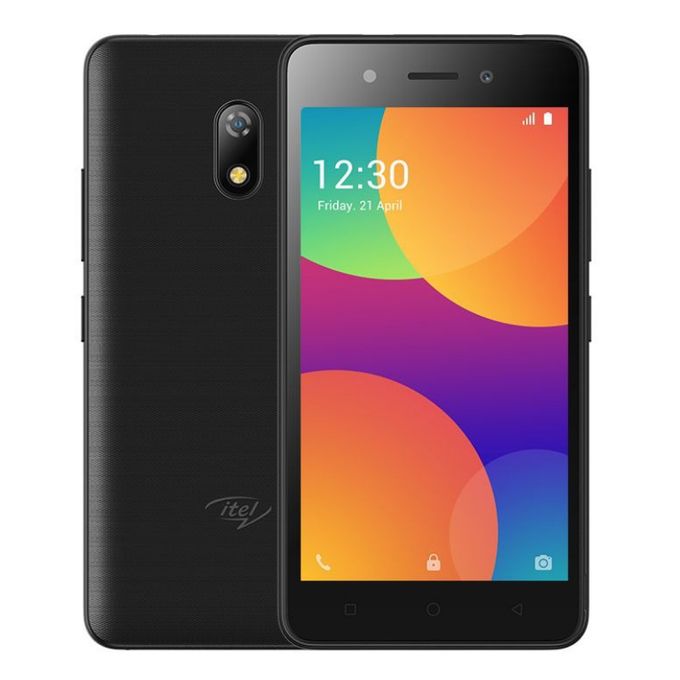
In this tutorial, we are going to provide you with the Itel A16 Plus FRP File and its tool to reset FRP on the phone with one click. This file is free and very simple to use with the research download tool provided in the download link.

How to Use the Itel A16 Plus FRP File
- Download the file from the link below and extract
- Open the research download tool and launch the tool
- Load the pac file from the frp folder and click the play button
- Switch OFF the phone, hold the boot key and connect
- Wait for it to finish
- Done!
Itel A16 Plus FRP File
DOWNLOAD
Read also;
- Itel A16 Plus Firmware A16Plus-SA332Q-10-OP-V004-20201128
- Itel A16 Plus Firmware Download | SA332-8.1
- Itel A16 Fastboot Error 100% Solved | Itel A16 Reboot to Fastboot Fix
- Itel W5002 Firmware {OFFICIAL} Factory Signed
Itel A16 Plus Specs
General
- Model itel A16 Plus
- Released March, 2019
- Status Available
Design
- Type Bar
- Dimensions 73 x 145 x 9.75 mm
- Weight 147 Grams
- Waterproof No
Display
- Display Type TN
- Size 5 in (inches)
- Resolution 480 x 854 pixels
- Display Colors 16M
- Pixel Density 196 ppi (pixels per inch)
- Touch Screen Yes
- Display Protection Dragontrail glass
- Features Capacitive
Multi-touch
Scratch resistant
Hardware
- CPU ARM Cortex-A7, 1300 MHz, Cores: 4
- GPU ARM Mali-T820 MP1, Cores: 1
- RAM (Memory) 1 GB
- Internal Storage 8 GB
- Memory Card Slot microSD, microSDHC, microSDXC
- Sensors Accelerometer
Software
- Operating System Android 8.1 Oreo Go Edition
- User Interface Yes
Camera
- Rear Camera 5.04 MP (megapixels)
- Image 2592 x 1944 pixels
- Video 1280 x 720 pixels
- Flash Dual LED
- Front Camera 0.31 MP (megapixels)
Network
- SIM Micro SIM
- Dual SIM Micro-SIM
Connectivity
- Wi-fi b, g, n, Wi-Fi Hotspot
- USB 2.0, Micro USB
- GPS GPS, A-GPS
- NFC No
- Wireless Charging No
- Headphone Jack Yes
Battery
- Capacity 2050 mAh, Li-Ion
Media
- Video Playback Yes
- Video Out Yes
- FM Radio Yes
- Ring Tones Yes
- loudspeakers
- Handsfree Yes
Data
- 4G LTE Yes
- Speed LTE 1800 MHz LTE 2100 MHz LTE-TDD 2300 MHz (B40) LTE-TDD 2500 MHz (B41)

