The realme service Tool is an official PC utility used to flash firmware packages, unbrick devices, or safely roll back software versions. For hardware diagnostics, the built-in Phone Manager app tests system components directly on your device without needing a computer.
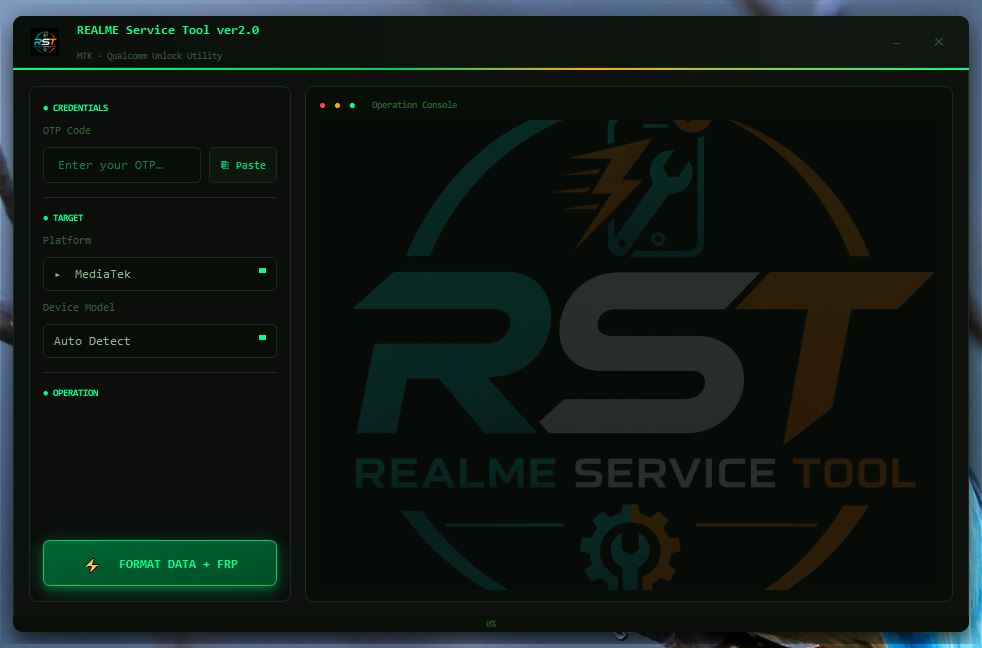
REALME Service Tool Download
https://drive.google.com/file/d/1vuKvzXtHPAhZWEVwNlhLI9EUpUicNxIx/view
https://drive.google.com/file/d/1O5j51CRD5Og4KkStIep9IyzK5ja0t9A4/view
Buy Credits HERE
Fidetec
(Distributors & Resellers)
Latest News on Telegram https://t.me/fidetec
Telegram Group: https://t.me/fidetecgsm
WhatsApp: https://wa.me/254712969574
Website: fidetec.net
1. realme Flash Tool (PC Suite)
This tool allows you to install official firmware (.ofp packages) and update your realme UI from your computer.
- Official Use: Download the Realme Flash Tool via the Realme Support Page.
- Requirements: A PC running Windows 10 (64-bit), a USB cable, and an unlocked bootloader (for most operations).
- Warning: Flashing will completely wipe all data from your smartphone. Always back up your files before connecting.
2. Built-In Diagnostics (On-Device)
If your phone is functioning but you want to test hardware (speakers, battery, touch screen, sensors), use the built-in troubleshooter.
- Open the pre-installed Phone Manager app.
- Tap the three dots (or the gear icon) in the top right corner and select Diagnostics.
- Select the components you want to check and follow the on-screen prompts.
Read also, Latest CM2MT2 Boot Pack Download