

Download Tecno CD7 DA (Download Agent) File and use to reset frp or password and also for flashing.
Read also, Factory Signed Tecno Camon 15 CD7 Firmware Free Download
Why do I need a custom Download Agent (DA)?
As Mediatek’s chip security has evolved, we have seen an increased complexity in flashing firmware (like -sign.img & Secure Boot). Its no more (always) as easy as just loading a scatter file and flashing using SP flash tool. DAs are strategic following the increase in the need for boxes and dongles to perform tasks; even in the use of SP Flash Tool to bypass Factory Reset Protection (FRP).

A Download Agent (DA) enables your favorite Mediatek Flash Tool to read and write to the device. In a case where the default DA can’t, you’ll encounter constant errors or the phone just powering up when you connect (this dates as far back as the Tecno M3S & P5S).
This is where a custom DA file comes in. Depending on the tool you’re using, you manually load the custom DA ( MTK_AllInOne_DA_SP.bin or DA_SWSEC.bin ) .
Tecno CD7 DA File
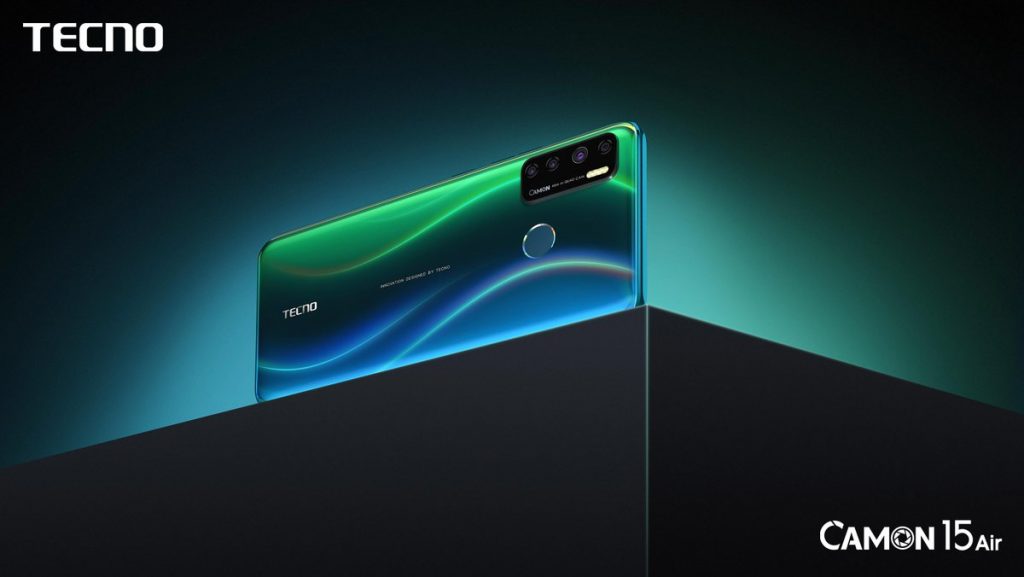
Tecno Camon 15 CD7 Core Specification
- Model: Tecno Camon 15
- Colors: Purple, Gold, Dark Green
- SIM Count: Dual Sim
- SIM Type: Nano Sim
- 2G: Yes
- 3G: Yes
- 4G: Yes
- Platform: Android 10 Q (HiOS 6.0.1)
- Chipset: Mediatek MT6765 Helio P35 (12 nm)
- Processor: 4x 2.35 GHz ARM Cortez-A53 & 4x 1.8 GHz ARM Cortez-A53
- Cores: Octa core
- GPU: PowerVR GE8320
- RAM: 4 GB
- ROM: 64 GB
- Memory Card Support: Yes
- Body Dimension: 163.6 x 75.6 x 9.1 mm
- Display: 6.55 inches, IPS LCD capacitive touchscreen, 720 x 1600 pixels
- Rear Camera: 48 + 5 + 2 + 2 MP with Dual Led
- Front Camera: 16 MP with Led
- WLAN: Wi-Fi 802.11 b/g/n
- Wi-Fi Hotspot: Yes
- Bluetooth: Yes, 5.0 with A2DP LE
- Sensors: Proximity, Accelerometer, Fingerprint, Gyroscope
- Battery: 5000 mAh Li-Polymer (non-Removable)
- Other features: 2.5D curved glass diaplay, Safe charge, OTG


Tech GURU