


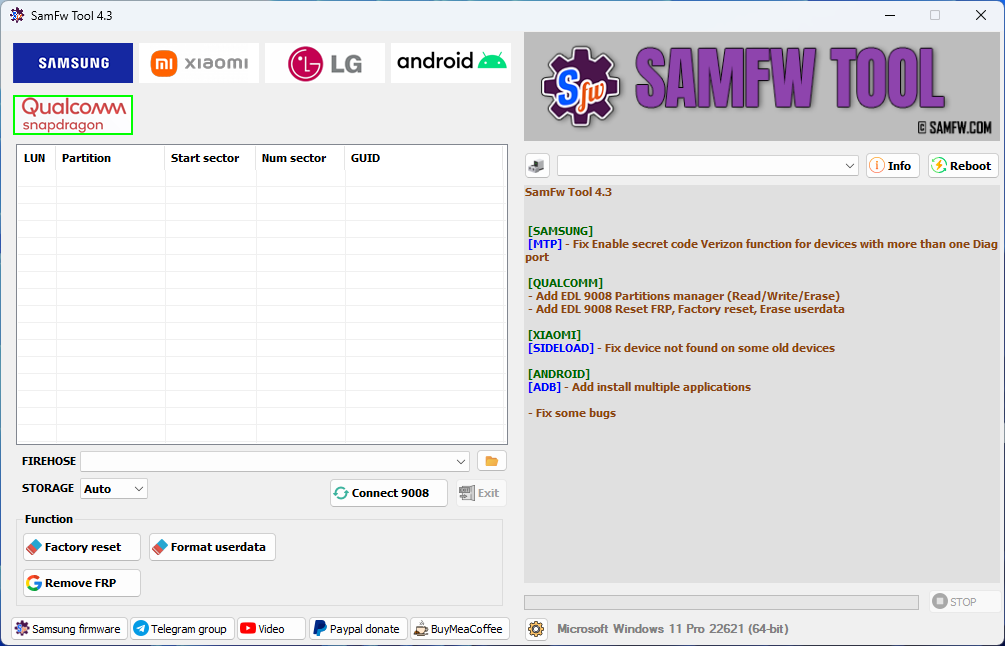
Download the Latest Samfw Tool Setup version. This tool is free and loaded with functions to remove FRP, change CSC, factory reset, format user data, and many more.
Today, we are introducing SamFw FRP Tool version 4.9
Main function:
- Remove FRP with one click
- Change CSC with one click
- Remove FRP for new security patch (Aug 2022)
- Remove the FRP paid method
Remove FRP with one click
- Connect the phone to the PC, and install the Samsung driver if you have not yet installed
- Go to emergency call then type *#0*#
- Click Remove FRP on the Tool
- Click Accept USB debugging on the phone if it appears
- The phone will finish and reboot after removing FRP
Latest Samfw Tool Setup V4.9
Read also:
- HalabTech Tool V1.0 Free Download | Updated
- Pandora SPD Tool R22.20.1701 (Latest Version)
- SP Flash Tool All Versions Free Download

[SAMSUNG]
[MTP] – Fix Enable secret code Verizon function for devices with more than one Diag port
[QUALCOMM]
– Add EDL 9008 Partitions manager (Read/Write/Erase)
– Add EDL 9008 Reset FRP, Factory reset, Erase user data
[XIAOMI]
[SIDELOAD] – Fix device not found on some old devices
[ANDROID]
[ADB] – Add and install multiple applications
– Fix some bugs
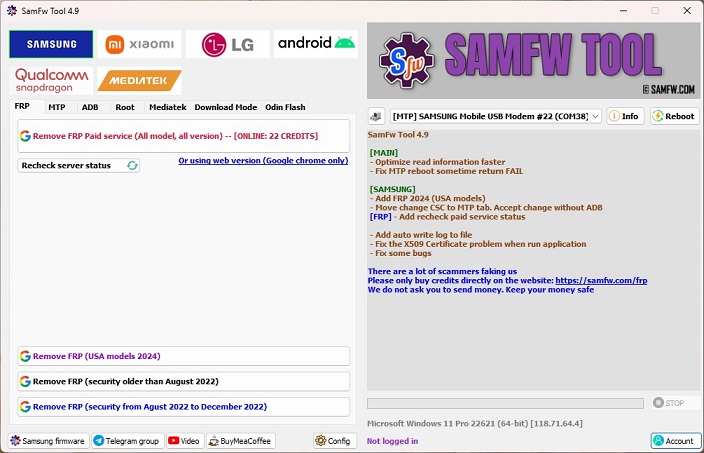
SamFw Tool 4.9
[MAIN] - Optimize read information faster - Fix MTP reboot sometime return FAIL
[SAMSUNG] - Add FRP 2024 (USA models) - Move change CSC to MTP tab. Accept change without ADB [FRP] - Add recheck paid service status
- Add auto write log to file - Fix the X509 Certificate problem when run application - Fix some bugs
List of functions
Samsung
FRP
- Remove FRP
- Remove FRP new security
- Remove FRP 2024 (USA models)
MTP mode
- Factory reset (Test mode)
- Disable Knox (Test mode)
- Disable Factory mode
- KG Unlock (Untest)
- Factory reset
- Enable secret code for Verizon
ADB mode
- Change CSC
- Change SN (beta)
- Remove Samsung account (This function works to remove the account in Settings only, not supporting locked state)
- Enable Toggle mobile data (for some AT&T phone)
- Change CSC root mode
Download mode
- Exit Download mode
- Soft brick Fix
- FRP Android 5/6 (support some models. If you see an error when trying, that means your device is not supported)
Odin Flash
- Save recent flash files
- Auto-detect file and select slot
- Auto-extract for ZIP file
- Ignore MD5 checksum
Misc
- Check Driver signature enforcement status
- Disable/Enable Driver signature enforcement
- Install Samsung USB driver
- Install VC++ 2015 (for ADB works)
Xiaomi
ADB
- Bypass Micloud Android 8.1
- Enable Diag [ROOT]
Fastboot
- [UNLOCKED] Remove FRP
Sideload
- Factory reset
- Remove FRP
- Reset Micloud
- [QUALCOMM] Bypass Micloud clock (Anti relock)
- [QUALCOMM] Remove bypass Micloud clock (Anti relock)
- Read offline Micloud information
EDL 9008
- Factory reset
- Reset FRP
- Reset Micloud
LG
MTP
- Factory reset
EDL (Support LG G7, G8, G8X, G8S, V30, V40, V50, V50S, Q6, G5, G6, V20, V35, V60)
- Factory reset
- Remove FRP
LG UP
- Flash LG KDZ
Android
ADB
- Battery information
- Disable/Enable OTA Update
- Set language
- Factory reset
- Hide Developer options
FRP
- Open Browser (FRP)
- Remove FRP
APP Manager
- Manager applications, remove, disable, enable, clear data single app, multi apps
- Install multi APK/xAPK
- Install any app on Dual Messenger
- Delete bloatware (For Korean, Japan, and US variants)
ROOT
- Remove screen lock (Root)
Qualcomm
- EDL 9008 Partitions manager (Read/Write/Erase)
- EDL 9008 Reset FRP, Factory reset, Erase userdata
Mediatek
- Factory reset
- Format user data
- Remove FRP
- Unlock bootloader
- Relock bootloader
- Bypass auth
Upcoming function
Install XAPK directInstall any apps for Samsung dual messageDisable Factory mode[ROOT] Change SN- [ROOT] Change battery cycle
- [ROOT] View saved wifi password
MTK moduleXiaomi sideload solution


Tech GURU