

These are simple steps to upgrade your phone using the Infinix tool software. The steps are simple and easy and can be used to upgrade any Infinix phone.
Requirements:
- Drivers for the Infinix phone installed on your PC.
- The Stock Rom/Firmware of the Infinix phone you want to upgrade.
- Infinix Flash tool
Download Infinix Flash Tool Here
Install the driver Then choose the suitable driver for your laptop, and install it
Caution: First disable Antivirus is very important because sometimes the antivirus will recognize the driver as a virus.
After installing the driver, restart your computer.
Steps to flash/upgrade Infinix phone
- Extract both the flash tool and the firmware you wish to flash to your phone. Make sure you download the correct version for your phone model.
- Launch the Flash tool.

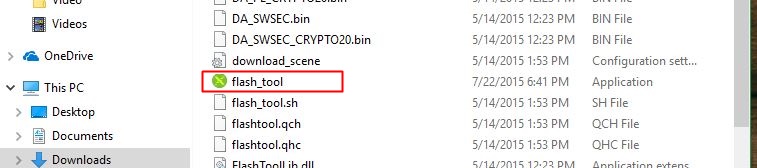


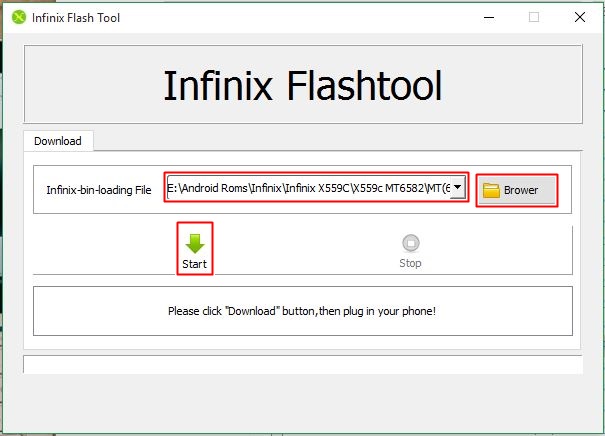
- On the flash tool select the browse button and navigate to where you extracted your firmware and look for the scatter file and select it.
- Switch Off your phone. Click the start button on the flash tool and connect your phone.
- Once the process of upgrading starts NOT try to stop or unplug the USB cable. Wait for it to finish the process.
- Done!!

Read also: How to Flash SpreadTrum Phones with Aladdin


Tech GURU