


Pot player is a common media player software which is used widely due to its ability to play various types of media files seamlessly. With Pot Player, there is No need to install different codecs all the time when using the player because the player Supports OpenCodec so users can easily add whatever codecs they want. If you need to change the Pot Player language setting, then just follow the below steps or watch the video below.

Steps to change Pot Player Language.
- Launch the player.
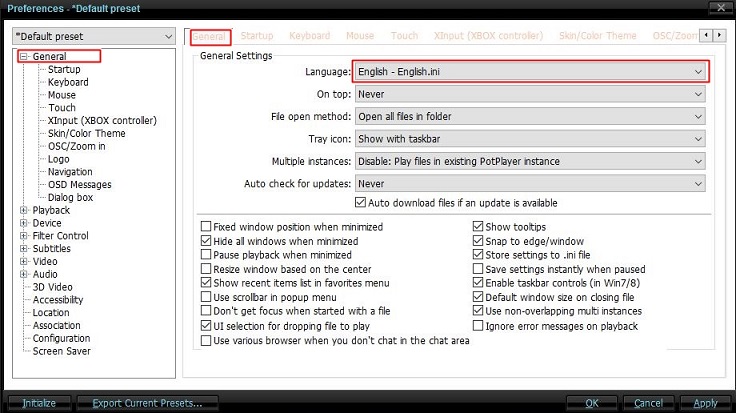
- Right-click on the player and select F5.
- On the pop-up screen, click on the first option and select the language you desire.
Read also How To Limit Windows 10 Data Usage



Tech GURU